ChatGPT Ads Will Rewrite Your Ads by Default: What Creative Enhancements Change, and Should You Opt Out?
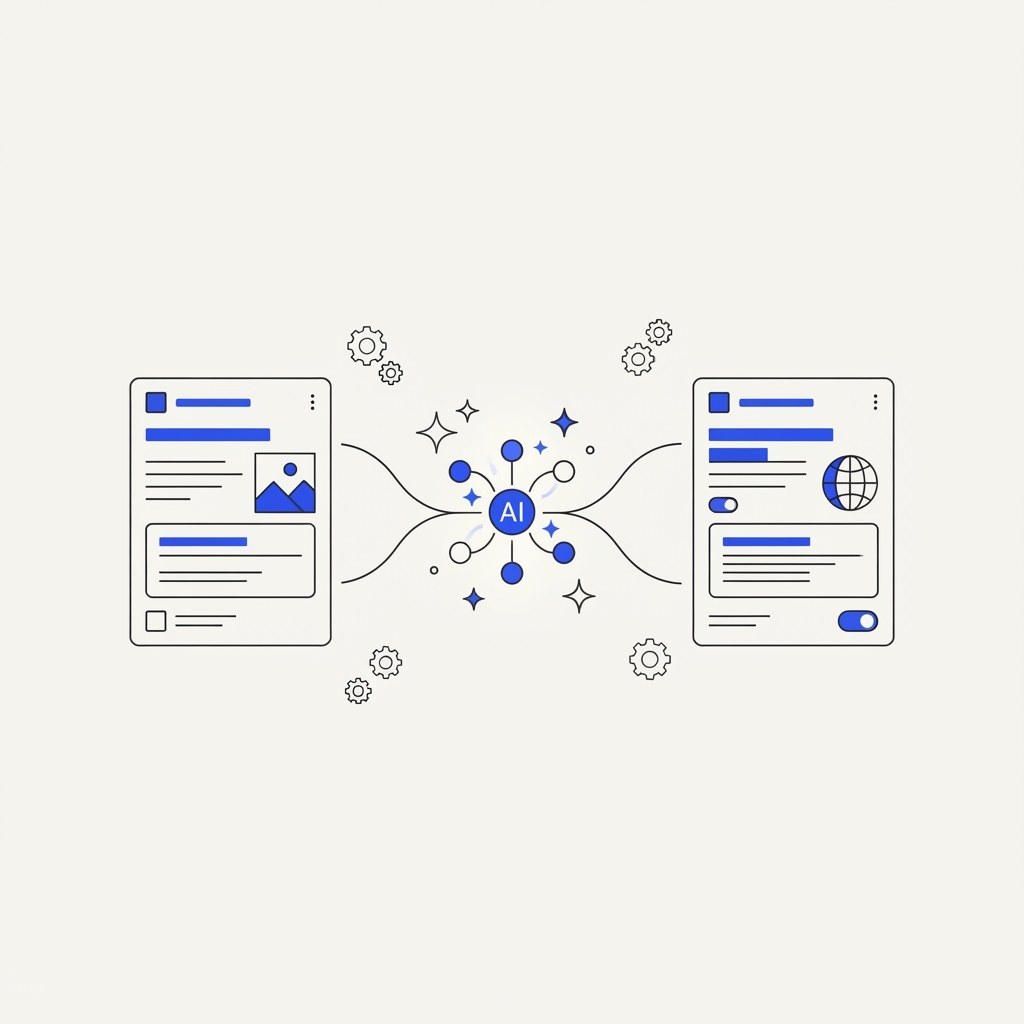
OpenAI has told ChatGPT advertisers that from the end of October 2026, "creative enhancements" will be switched on for new and existing campaigns. In practice, ChatGPT Ads will be able to rewrite your headlines and descriptions, translate your ads, resize your images and send clicks to a different page of your site, without you approving each version.
The dates OpenAI has given vary slightly: advertiser emails say October 30 or October 31 depending on the account, and OpenAI's help page says October 29. If you want to decide before anything changes, make your choice in Ads Manager by October 28.
Here is what the feature does, what it can break, and how we would handle it.
What are ChatGPT Ads creative enhancements?
Creative enhancements are automatic variations of your ads, generated by OpenAI from your existing ad, your landing page content and the context of the conversation or the user's interests. According to OpenAI, they can include:
- New or updated headlines and descriptions, adapted to the conversation the ad appears in.
- Translation into other languages, so an English ad can be shown in a user's own language.
- Image resizing, to fit different placements and screens.
- Destination URL optimization, where the ad sends people to another relevant page of your site instead of the one you chose.
Variations can be prepared in advance or generated in real time, and they can run without you reviewing or approving each one. OpenAI also says you cannot preview every variation.
When ChatGPT Ads first presented this kind of text customization in September, it was described as an opt-in setting. With this change, it becomes the default: you now have to opt out if you don't want it.
Why is OpenAI doing this?
The pitch is relevance and less work: an ad that matches the conversation tends to get more clicks, and you no longer need to write a version for every situation. Google and Meta already do similar things with AI-generated assets and Advantage+ creative. For a small team with one or two ads, it can genuinely help.
But "on by default, no approval" moves control from you to the platform, and that has real costs.
What can go wrong?
- Claims you didn't write. A rewritten headline can promise something your product doesn't do, state a price that's out of date, or drop a qualifier your legal team insisted on. In regulated categories (finance, health, legal), that is a compliance problem, not just a style issue.
- Translations nobody reviewed. A machine translation of your offer may be accurate, or may read badly to a native speaker. Either way, your brand now speaks a language you didn't check.
- Landing pages you didn't choose. Destination URL optimization can send a "book a demo" click to a blog post, or a pricing-page ad to your homepage. If your campaign tracking relies on a specific landing page, a form or URL parameters, check how your conversions are recorded once URLs can change.
- Results you can't explain. If performance moves, you won't easily know whether it was your ad, an enhanced version, a translation or a different landing page. OpenAI itself warns that changes over time do not, on their own, prove an enhancement's effect.
How do you opt out?
The control is a "Creative enhancement" toggle in the Settings section of Ads Manager.
- At account level, the setting is the default for all your campaigns.
- At campaign level, you can override the account default, on or off. Campaign settings take priority.
- Existing opt-outs are kept, so if you already turned it off, nothing changes.
- One toggle covers all four types of enhancement: you can't, for example, accept image resizing but refuse URL changes.
You can change the setting at any time, before or after the start date.
Should you opt out?
There is no single answer, but here is how we would decide:
- Opt out on your main campaigns if you are in a regulated category, if exact wording matters (pricing, guarantees, legal claims), if you sell in one language only, or if your tracking depends on a specific landing page.
- Keep it on, as a test, on one campaign if you want to know whether it helps. Pick a campaign with enough volume, leave everything else the same, and compare it with a similar campaign where enhancements are off.
- Check what runs. Search for your own category questions in ChatGPT from time to time and look at the ads you see, so you know what is being said in your name.
How do you know if enhancements actually help?
This is the real question, and Ads Manager alone won't answer it. The platform will report clicks and attributed conversions for enhanced ads, but those are the platform's own numbers, and they count people who would have bought anyway.
To know whether enhancements add anything, compare like with like:
- Run two comparable campaigns, one with enhancements and one without, for the same offer and budget, over the same weeks.
- Compare your own numbers, not only the platform's: leads in your CRM, sales, and revenue, not just attributed conversions.
- Look at incrementality, not just attribution: did the enhanced campaign bring customers you would not have had otherwise? We explain the difference in How to Advertise on ChatGPT: Setup, Costs and How to Measure What It Adds.
Where Operato AI fits
Operato AI started with AI visibility (GEO): every week, it asks ChatGPT, Gemini, Claude and Perplexity the questions your buyers ask, and shows whether you are recommended and who is recommended instead.
It also connects to your ChatGPT Ads (OpenAI Ads) account. You see your campaigns, delivery and spend next to your organic visibility, and an incrementality view that puts the platform-reported results next to your own numbers, as a directional signal. When you run a holdout test, such as the enhancements on versus off comparison above, you can log the result and get a verified incremental return.
That matters here for a simple reason: the ad next to the answer and the answer itself are two different things. A rewritten ad can win a click, but if ChatGPT recommends a competitor in the answer just above it, you are paying to compete with your own invisibility. We cover that in Why Does ChatGPT Recommend Your Competitor Instead of You?.
FAQ
When do ChatGPT Ads creative enhancements start? At the end of October 2026. OpenAI's emails to advertisers give October 30 or 31 depending on the account, and its help page gives October 29. To decide before anything changes, set your preference by October 28.
Do I have to approve enhanced ads? No. Once enabled, enhanced versions can run without you reviewing or approving each one, and you cannot preview every variation.
How do I turn off creative enhancements in ChatGPT Ads? In Ads Manager, go to Settings and switch off the "Creative enhancement" toggle at account level, or override it campaign by campaign. Existing opt-outs are kept.
Can I turn off only translation or only URL changes? No. One toggle covers rewritten text, translation, image resizing and destination URL optimization together.
Can creative enhancements change my landing page? Yes. Destination URL optimization can send people to another relevant page of your site. If your tracking depends on a specific landing page, check how conversions are recorded.
Will creative enhancements improve my results? They may increase clicks by matching the conversation better, but the platform's own report can't tell you whether they bring customers you wouldn't have had anyway. Compare a campaign with enhancements against one without, using your own sales or lead numbers.
Do ChatGPT ads change what ChatGPT recommends in its answer? According to OpenAI, no. Ads are labeled sponsored placements, separate from the answer. Being recommended in the answer depends on your organic visibility.